
Painting Filter
A painting filter with five paints and three strengths. Upload a picture, pick the look, and your first image is free with no sign-up.
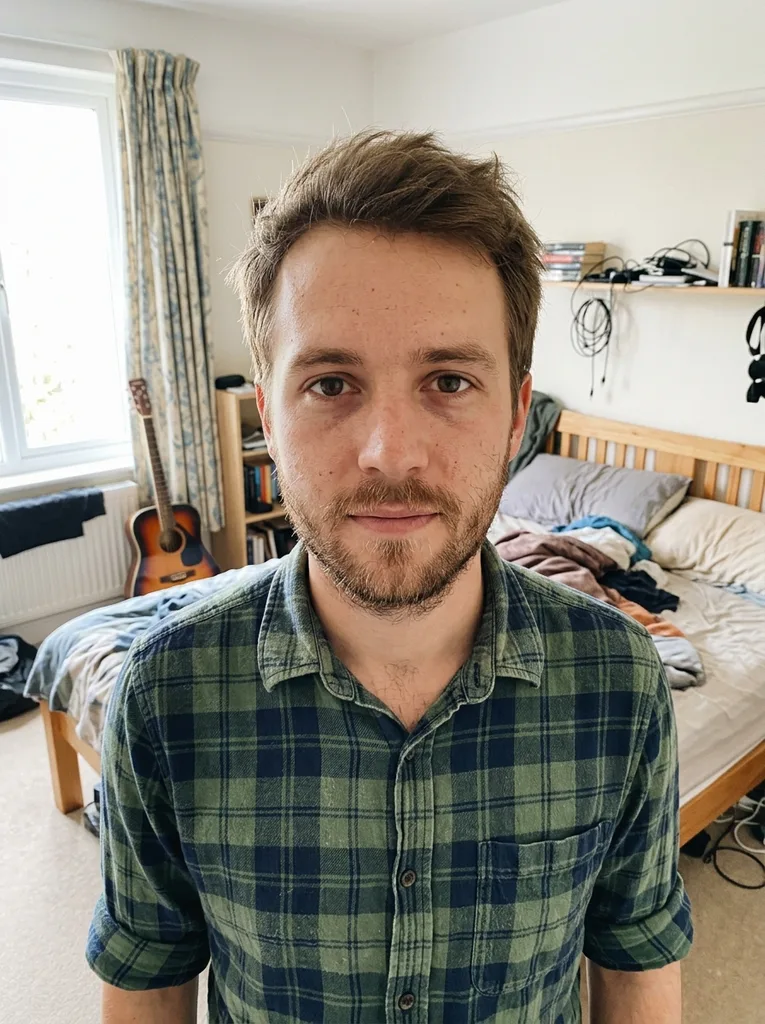 Before
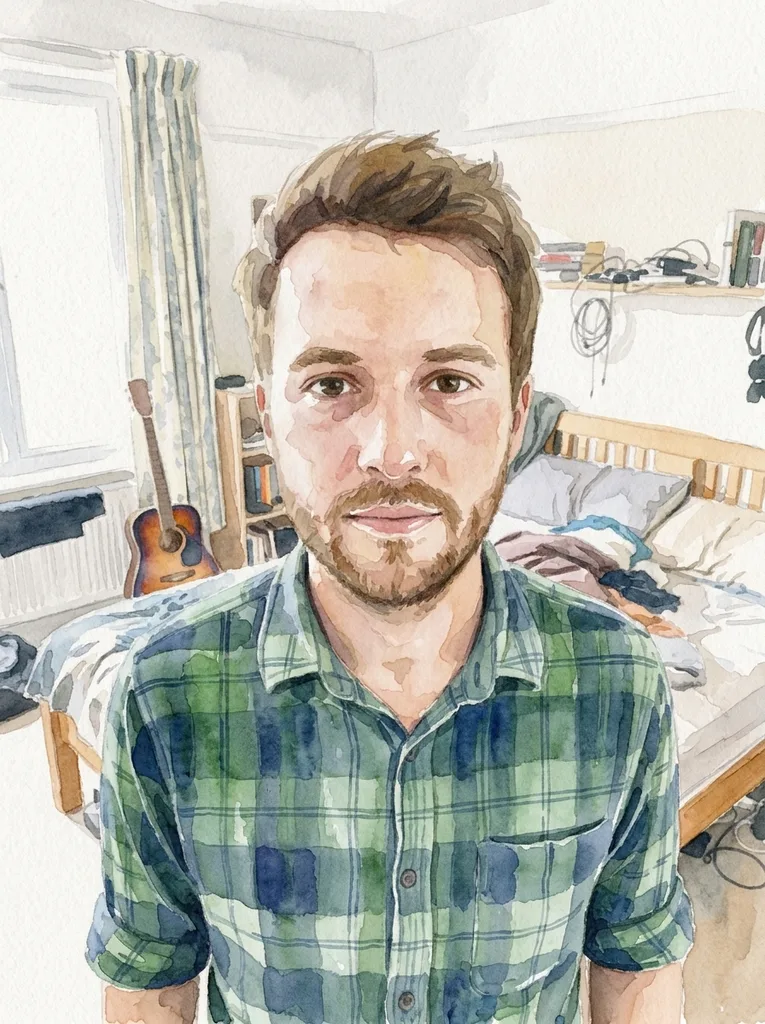 After
Example result. Upload your photo to make yours.
Examples
BeforeAfter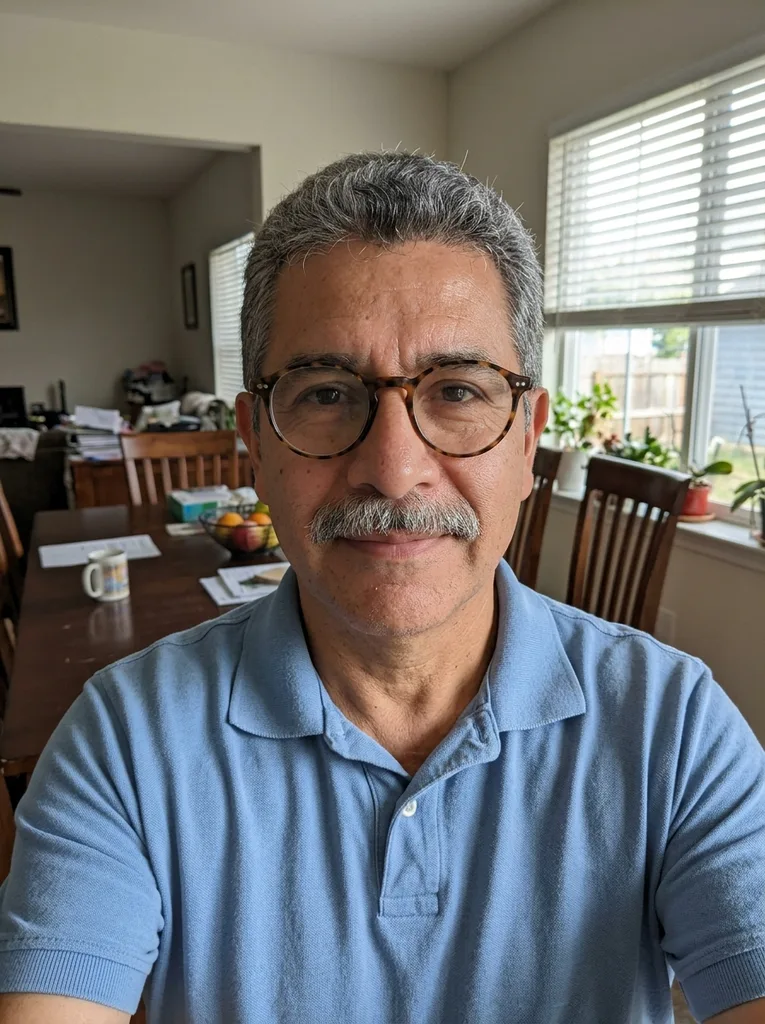 Before
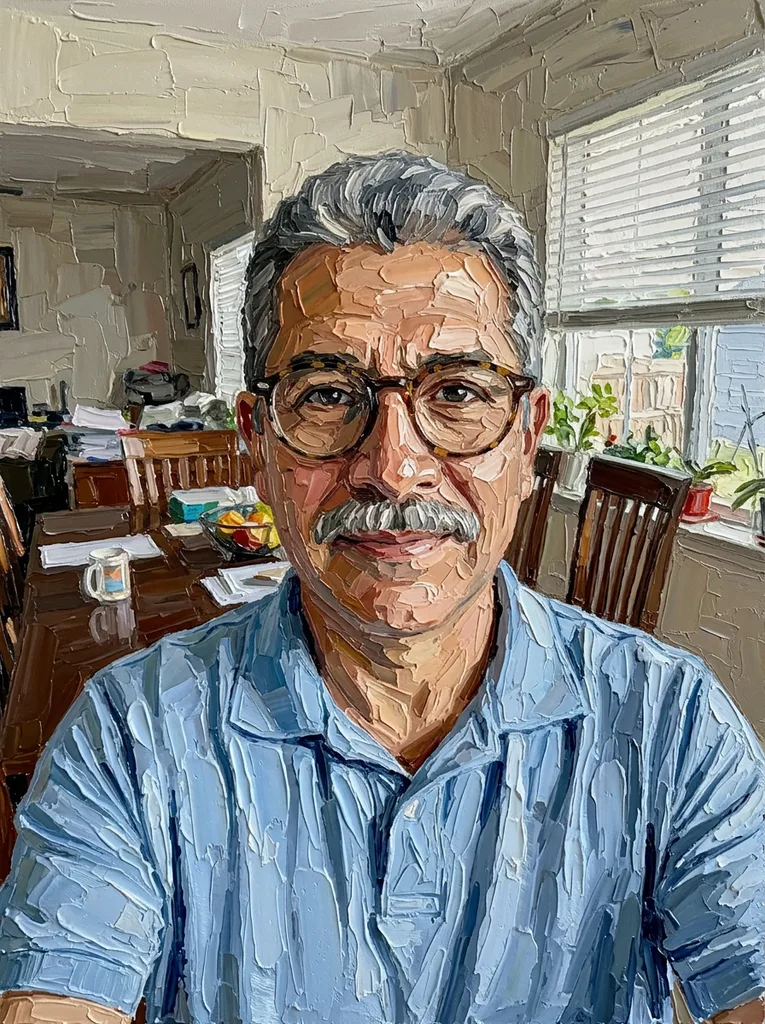 After
Five paints in one painting filter
The Paint row decides the medium. Each one gets its own instruction, so the five results look clearly different.
Watercolor
Transparent washes on textured paper, with soft color bleeds and blooms at the wet edges. Shapes are simplified and patches of white paper show through, which keeps the picture light and airy. It is the default, and the closest match if you came here to turn a picture into watercolor online free.
Oil
The oil painting filter gives rich, blended color with brushstrokes you can see on a canvas surface. Shadows and skin tones melt into each other rather than sitting in flat patches. Pick it for a classic painted-portrait or gallery feel.
Acrylic
This painting filter lays down bright, opaque color with crisp brush marks. Edges stay sharper than in oil and the colors read punchier. It suits sunny scenes, street photos and anything you want to look bold.
Gouache
Matte, flat areas of opaque color with soft edges, close to the look of a poster or a picture-book page. It drops most of the fine texture, so it works well on busy photos that need calming down.
Palette Knife
Thick oil paint applied with a knife: chunky, sculpted strokes with sharp ridges. In our own run on a dining-room photo, every surface, the back wall included, turned into ridged paint while the glasses and grey mustache stayed in place.
How strong should the filter be?
Strength is a second choice, separate from the paint, so five paints and three strengths give 15 combinations.
Subtle applies the painting filter lightly: the picture still reads almost like the photo, with a gentle painted texture and softer detail. Medium, the default, makes the whole picture unmistakably painted, faces and skin included, with brush marks you see at a glance and no photographic texture left. Strong goes all the way: simplified shapes and expressive strokes everywhere.
Start with Medium if you are unsure. Go Subtle for a photo you want to keep recognizable at a glance, and Strong when the painting matters more than the detail.
How to turn picture into watercolor online free
Drop one JPG, PNG, WebP or HEIC photo up to 10 MB into the upload box. A clear, well-lit shot works best, with a main subject that is not tiny or blurry; portraits, pets, outdoor scenes and buildings all work.
Keep Watercolor selected, or switch to Oil, Acrylic, Gouache or Palette Knife, then choose Subtle, Medium or Strong. The optional box takes up to 300 characters, such as "softer colors", and is added to your request.
Press Apply Filter. The painting filter result appears next to your photo, which stays in the panel as a thumbnail, and the Download button saves the file at the size the model returned, with no watermark from us.
AI painting filter vs classic filters and apps
Four common ways to make a photo look painted. They work differently, and each has a place.
| This AI painting filter | Classic slider filter | Photoshop Oil Paint | One-tap app filter | |
|---|---|---|---|---|
| How it works | An AI model repaints the whole picture | Smooths your existing pixels with an edge-preserving filter | You set the Oil Paint sliders by hand | A ready-made effect applied in one tap |
| Paint choice | Watercolor, oil, acrylic, gouache, palette knife | Usually one medium per tool | Oil paint, plus Filter Gallery presets | A set of the app's own effects |
| Strength | Subtle, Medium or Strong | Brush size and texture sliders | Stylization, Cleanliness, Scale, Bristle Detail | An intensity slider on some apps |
| Faces and detail | Told to keep composition and faces; check the result | Keeps the photo's layout, adds no new detail | Keeps the photo's layout | Depends on the app |
| What you need | A browser, no sign-up | A browser | The desktop editor and some practice | The app or its web editor |
| Free use | Your first image, across the whole site | Free on some tools | Comes with the editor | Free tiers vary by app |