Your first image is free, no sign-up needed

Your photo

For the best result
  • A clear, well-lit photo works best; the main subject should not be tiny or blurry
  • Portraits, pets, landscapes and buildings all work
  • JPG, PNG, WebP or HEIC, up to 10 MB

Pixel size

Palette

0/300

Image to Pixel Art

Image to pixel art that redraws your photo instead of blurring it into blocks. Pick pixel size and palette. First image free, no sign-up.
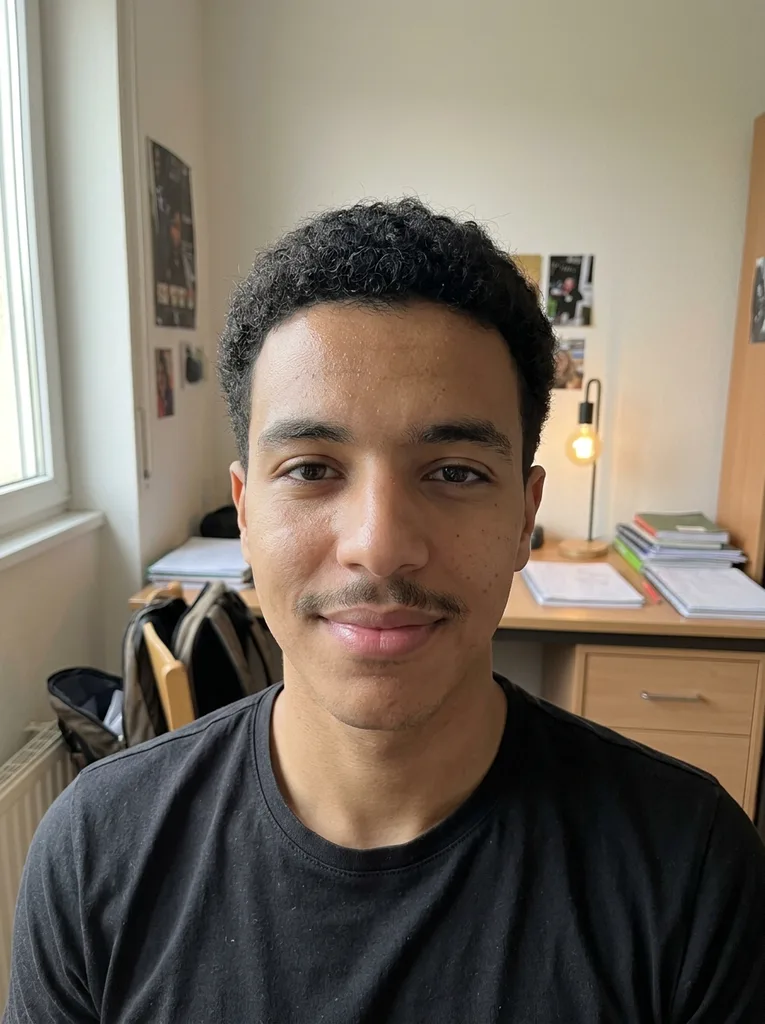
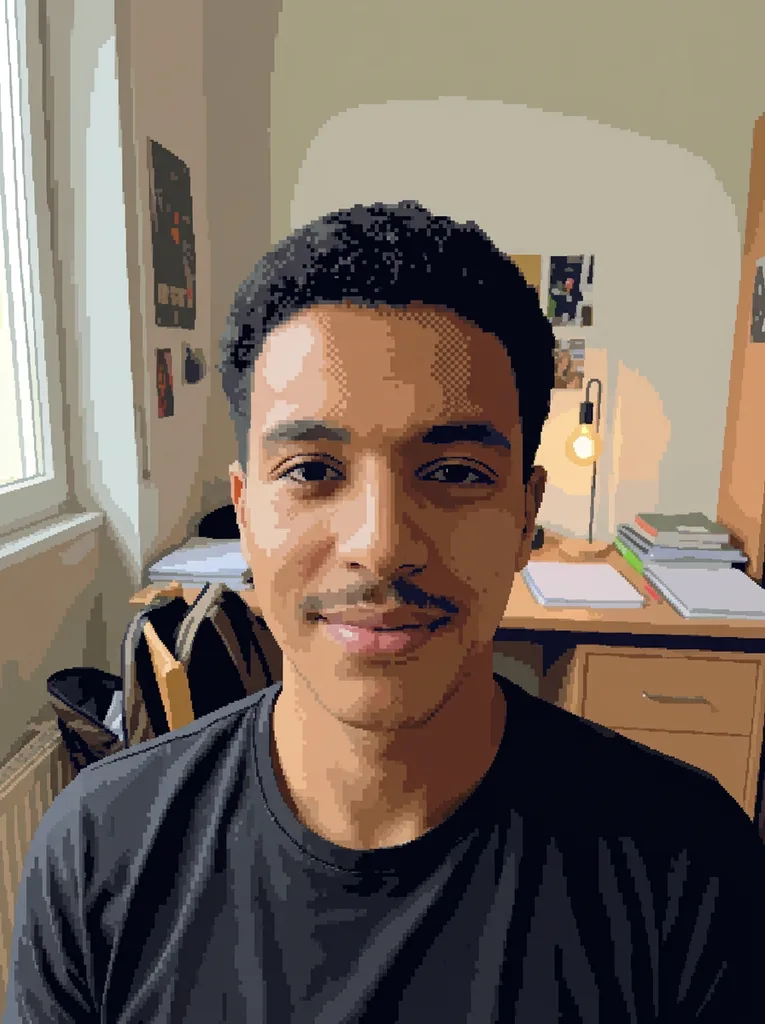
Original photo: Man in his early 20s: Medium (16-bit) + Full colorBefore
Image to Pixel Art result: Man in his early 20s: Medium (16-bit) + Full colorAfter

Example result. Upload your photo to make yours.

Examples

Original photo: Man in his early 20s: Medium (16-bit) + Full colorBefore
Image to Pixel Art result: Man in his early 20s: Medium (16-bit) + Full colorAfter
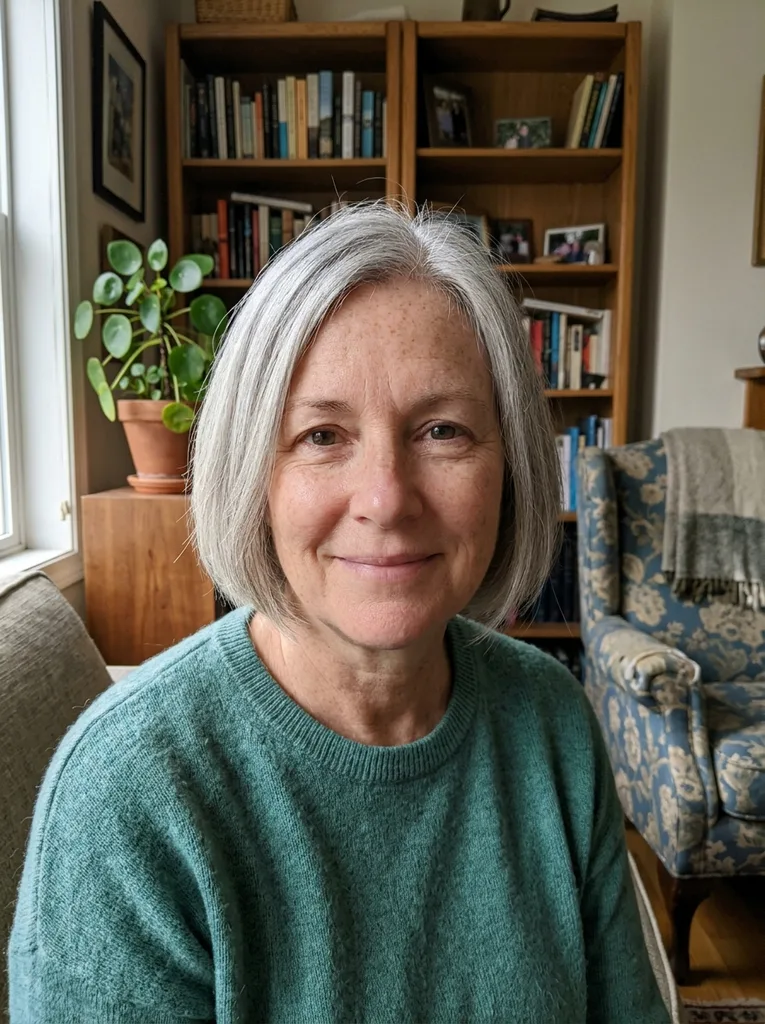
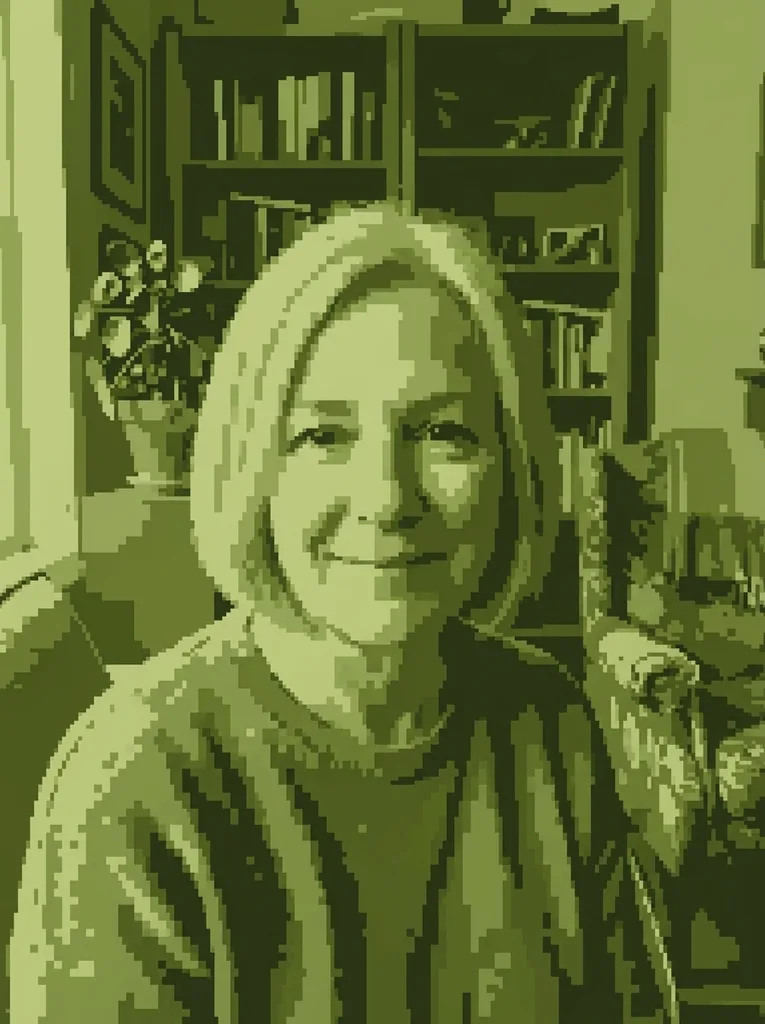
Original photo: Woman in her early 60s with grey hair: Chunky (8-bit) + Game Boy greenBefore
Image to Pixel Art result: Woman in her early 60s with grey hair: Chunky (8-bit) + Game Boy greenAfter
Image to Pixel Art result

What an AI Photo to Pixel Art Redraw Is

Most image to pixel art tools work like a filter: they shrink the photo to a small grid, average each block and snap it to a palette. This page hands your photo to an AI model, Google's Gemini image model (Nano Banana 2), with instructions to draw it again as pixel art: hard square pixels, flat colors, shading built from color clusters and dithering, as if a pixel artist placed them.

You choose two things: how big the pixels are (Chunky, Medium or Fine detail) and which palette they use (Full color, Retro 16-color, Game Boy green, Pastel or Black & white). The model is told to keep the composition, the pose and recognizable features. It is still AI output, so compare it with your photo.

Made for

  • Retro avatar seekers
  • Pet owners
  • Indie game fans
  • Travel photographers
  • Zine and poster makers

AI Redraw vs Pixelate Filter: Picture to Pixel Art Three Ways

Most photo to pixel art tools shrink the image to a grid. This one asks an AI model to draw it again in pixels.

This AI toolBrowser grid converterBy hand in an editor
How it worksThe model redraws the photo as pixel artAverages each block of the photo, then maps it to a paletteYou resize, reduce colors and fix pixels yourself
ShadingTold to use flat color clusters and ditheringDithering algorithm you pick, or noneWhatever you place
Faces at low resolutionTold to keep recognizable features; check the resultSmall details average away at low sizesDepends on your skill
Pixel countApproximate, set by presetExact, set by sliderExact
Grid or bead pattern exportNoOften PNG or PDF with grid linesPossible with effort
Where the photo goesUploaded so the model can read itUsually stays in your browserStays on your computer
CostFirst image free, no sign-upTypically freeYour time, plus the editor

Which Pixel Size and Palette for Which Photo

Image to pixel art recipes for common jobs. You get one result per generation, so pick the pair you want most.

  • Retro profile picture

    Medium (16-bit) with Full color. Medium is told to aim for about 64 blocks across the short side, enough for eyes and a smile to read. Full color keeps your skin and hair tones, reduced to about 32 flat colors.

  • Handheld console portrait

    Chunky (8-bit) with Game Boy green. The palette is limited to four shades of olive green, like the original Game Boy screen. A high-contrast photo with a plain background reads best with only four tones.

  • Scenery or city wallpaper

    Fine detail with Full color. Fine is told to aim for about 128 blocks across the short side, so rooftops, trees and clouds keep their shapes. The result keeps your photo's proportions, so a wide shot stays wide.

  • Pet in a game-style scene

    Medium (16-bit) with Retro 16-color for flat, punchy colors like old home computer games. Use the note box to ask for something extra, such as a dark outline that makes the animal pop off the background.

  • Soft greeting or story image

    Medium or Fine with Pastel, about 16 light, gentle colors. It turns a bright family or holiday photo into something closer to a cozy indie game than an arcade cabinet.

  • Black and white zine art

    Chunky or Medium with Black & white: only black, white and two grays. Strong light and shadow in the photo matters more here than color, since there is none to lean on.

Frequently asked questions

Your first image is free, with no sign-up and no credit card. The free allowance is one image per visitor across the whole site, not per page, and there is no paid plan to buy more yet. Pick the pixel size and palette you want most before you press the button.

Upload one JPG, PNG, WebP or HEIC photo up to 10 MB, ideally clear and well lit with a subject that is not tiny. Pick a pixel size and a palette, add an optional note of up to 300 characters (for example a dark outline around the subject), and generate. Press Download to save the result in the format the model returns, with no watermark added; there is no format choice or transparent background. Save it before you refresh or leave, because the page does not keep it, and a different setting means a new generation.

RAW camera files (such as DNG, CR2, NEF or ARW) and TIFF files are not supported, so the upload stops with an error. Export or convert the photo to JPG, PNG or WebP first, up to 10 MB. iPhone HEIC photos are fine: your browser converts them to JPEG before upload.

A pixelate filter shrinks the photo to a small grid and averages each block, so small details such as eyes can average away. Here an AI model, Google's Gemini image model (Nano Banana 2), redraws the photo as pixel art: it is told to keep the composition and recognizable features and to shade with flat color clusters and dithering. The trade-off is less control. There is no slider, and the block count is approximate.

Chunky (8-bit). It is told to aim for roughly 32 blocks across the short side, so only the main shapes and colors read, like early console sprites. Medium (16-bit), about 64 blocks, is the default and the safer choice for faces. Fine detail, about 128 blocks, suits wide outdoor shots and busy scenes.

No. You get one 1K image at your photo's proportions that looks like pixel art, with the blocks drawn by the model. The grid is not guaranteed to be perfectly even, so it is not a game-ready sprite sheet. If you need an exact size, use the result as a reference and rebuild or resample it in a pixel art editor.

Not from this tool. It has no grid overlay, no color codes and no PDF export, and its blocks are not counted. Browser grid converters that export a pattern with grid lines and color codes are the better fit for beads, cross-stitch or Minecraft builds. Our result can still serve as a picture to follow.

The model is told to keep every person, pet and object where it is, with the same pose, expression and recognizable features. At Chunky size, image to pixel art squeezes a face into only a few blocks, so likeness drops; Medium or Fine holds more. It is an AI image, so compare it with your photo in the panel next to it. Only upload photos of yourself or of adults who agreed, never of anyone under 18.

Yes. Unlike image to pixel art converters that run only in your browser, this one sends your photo to an AI model, which has to read it. Your browser first converts HEIC to JPEG and shrinks the photo to at most 2048 pixels on the long side. The compressed copy goes to our storage at a random, unlisted address. Your photo is only used to create your artwork and is never used to train AI models. Email us if you want it deleted.

Some guides describe a manual route: add a Posterize adjustment layer to cut the colors, resize the image down with Nearest Neighbor resampling, switch to Indexed Color mode, then clean up with the Pencil tool. That gives an exact grid but takes Photoshop and practice. This tool does not use that method; it redraws the photo with AI.

From our side the image is yours to use personally or commercially, as long as the use is lawful and you have the rights to the photo you uploaded. Some countries do not grant copyright to purely AI-made images, and someone else could get a similar result from a similar photo.