
Picture to Drawing
Picture to drawing in six media, from graphite pencil to soft pastel. Your first image is free, with no sign-up and no credit card.
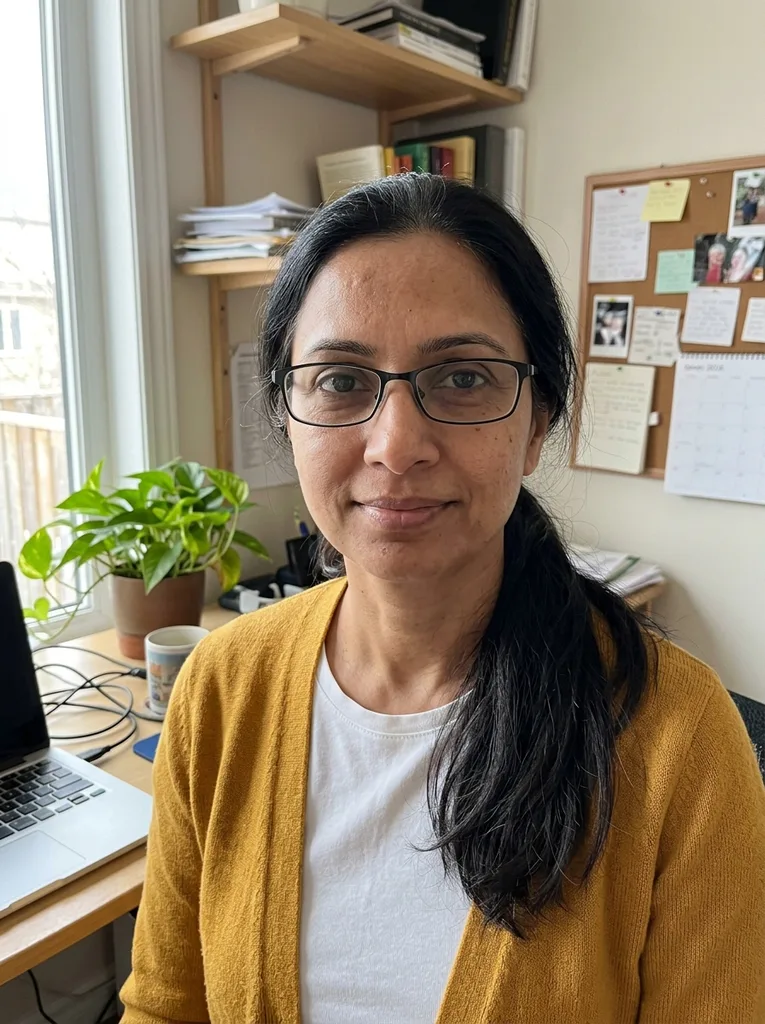 Before
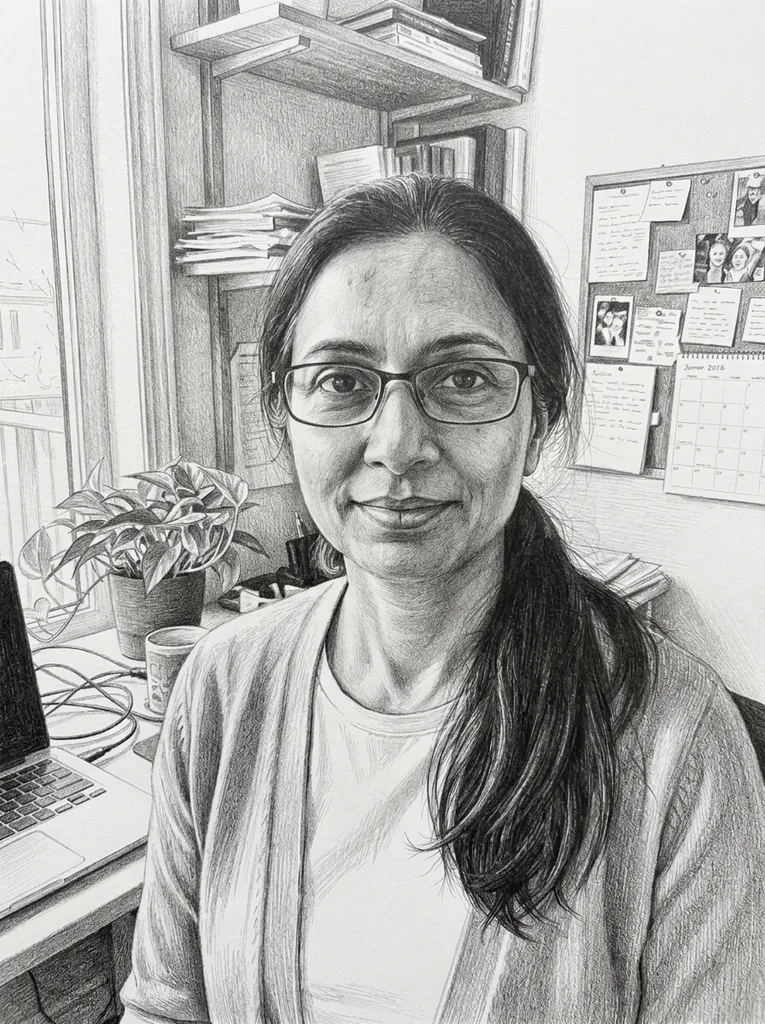 After
Example result. Upload your photo to make yours.
Examples
BeforeAfter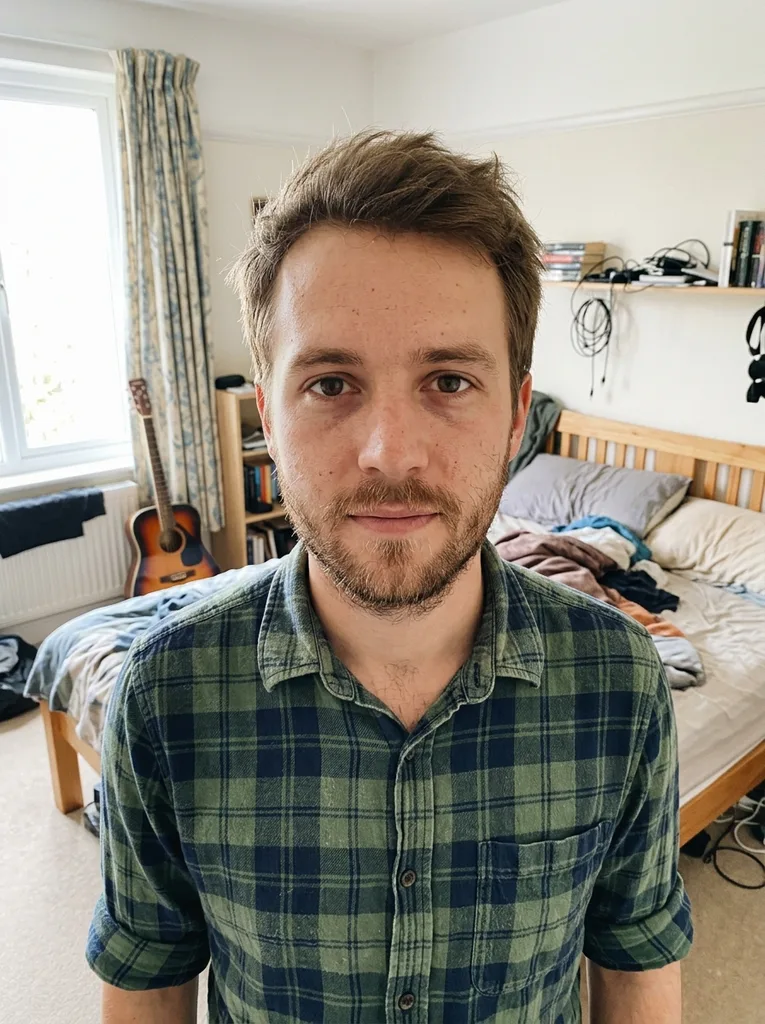 Before
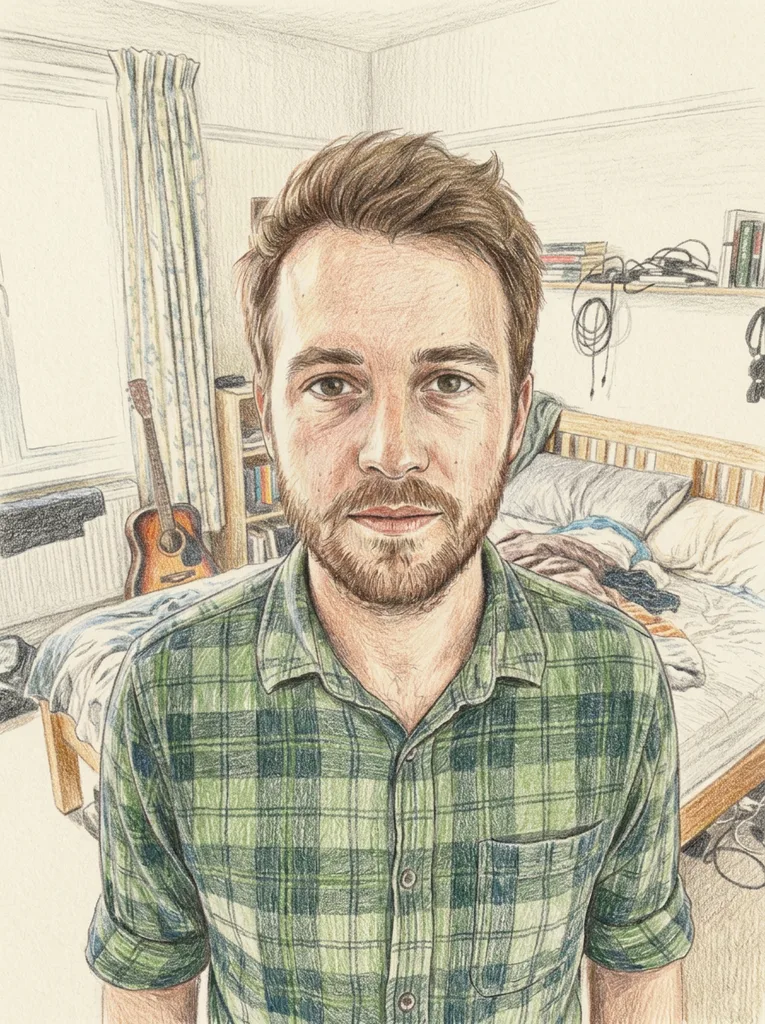 After
Image to drawing, not only a pencil sketch
Six drawing media, each redrawn from your photo rather than traced from its edges.
Most photo to drawing tools stop at a gray pencil sketch. This picture to drawing tool gives you six media: Pencil, Colored Pencil, Ink Pen, Charcoal, Soft Pastel and Cartoon. Each one is described to the model with its own paper and its own marks, so a pastel is asked for on toned paper and an ink drawing uses hatching and stippling instead of gray.
The classic photo-editor trick (invert a copy of the photo, blend it with Color Dodge, blur it) keeps the photo's pixels and lightens everything except the edges. Here the picture is redrawn instead. The model is told to keep the composition, the pose and every person, pet and object where it is, and to draw with natural stroke direction and pressure. It runs on Google's Gemini image model (Nano Banana 2). It is an AI image, so compare it with your photo.
Made for
- Gift portraits
- Pet owners
- Travel and home photos
- Reference for your own drawing
- Profile pictures
- Cards and invitations
Which drawing style suits your picture
The six presets side by side: the paper each one imitates, its color and how it shades.
| Paper | Color | Shading | Try it for | |
|---|---|---|---|---|
| Pencil | White drawing paper | Grays only | Cross-hatching and smooth tonal shading | Faces and portraits with clear light |
| Colored Pencil | Textured paper, grain showing | Full color, softly blended | Layered strokes that follow the forms | Patterned clothes, gardens, colorful rooms |
| Ink Pen | White paper | Black only, no gray wash | Hatching and stippling | Buildings, street scenes, crisp outlines |
| Charcoal | Off-white paper | Deep blacks and grays | Smudged soft shading, bold strokes | Strong light and moody portraits |
| Soft Pastel | Toned paper, showing in places | Chalky, blended color | Visible pastel strokes | Scenery, skies, soft portraits |
| Cartoon | Clean, no paper texture | Flat bright colors | Simple cel shading, bold even outlines | Pets and playful adult avatars |
How to turn a picture into a drawing
- 1
Upload one photo
Drop a JPG, PNG, WebP or HEIC file up to 10 MB into the upload box, or click to choose one. A clear, well-lit photo where the subject isn't tiny or blurry gives the model the most to draw from.
- 2
Pick a style, add a note if you like
Choose one of the six drawing styles; Pencil is selected by default. Anything you type in the optional box, up to 300 characters, such as leave the background blank, is added to your request.
- 3
Generate and download
Click Draw My Picture and the drawing appears beside the tool, with your photo kept as a thumbnail in the panel. Use Download to save the file as the model returned it, with no watermark added.
Free photo to drawing: what you get, what stays private
One free drawing, no account
Your first image is free across the whole site, not per page, with no sign-up and no credit card. There are no paid plans, so pick the style you want most first. A drawing that fails isn't counted.
What happens to your photo
Your photo is only used to create your artwork and is never used to train AI models. HEIC files are converted, and large photos scaled down and compressed, in your browser before upload. The photo is stored at an unlisted link the model reads from, and you can email us to have it deleted.
What the file is
One drawing per run, in the same shape as your photo. It lives only on this page, so refresh or leave and it is gone; the AI provider keeps it only for a while, so download it right away.
What it is not
A picture to drawing result here is an AI image that looks hand-drawn, not a drawing made by an artist. There is no print, canvas or framing service, and no way to edit, upscale or resize the result on the site.